
Why Accessibility Makes Better Apps for Everyone
When businesses plan a new mobile app, accessibility is often treated as something to think about later.
Many believe it's only important for a small group of users or only necessary to meet legal requirements.
In reality, accessibility is one of the most valuable investments you can make in your product.
An accessible app is easier to use, reaches more people, and creates a better experience for everyone—not just users with disabilities.
The goal of accessibility is simple: remove barriers so every user can interact with your app confidently, regardless of their abilities, age, or environment.
What Is Accessibility?
Accessibility means designing and developing digital products that everyone can use.
This includes people who may have:
- Limited vision
- Hearing impairments
- Reduced mobility
- Temporary injuries
- Cognitive challenges
- Age-related difficulties
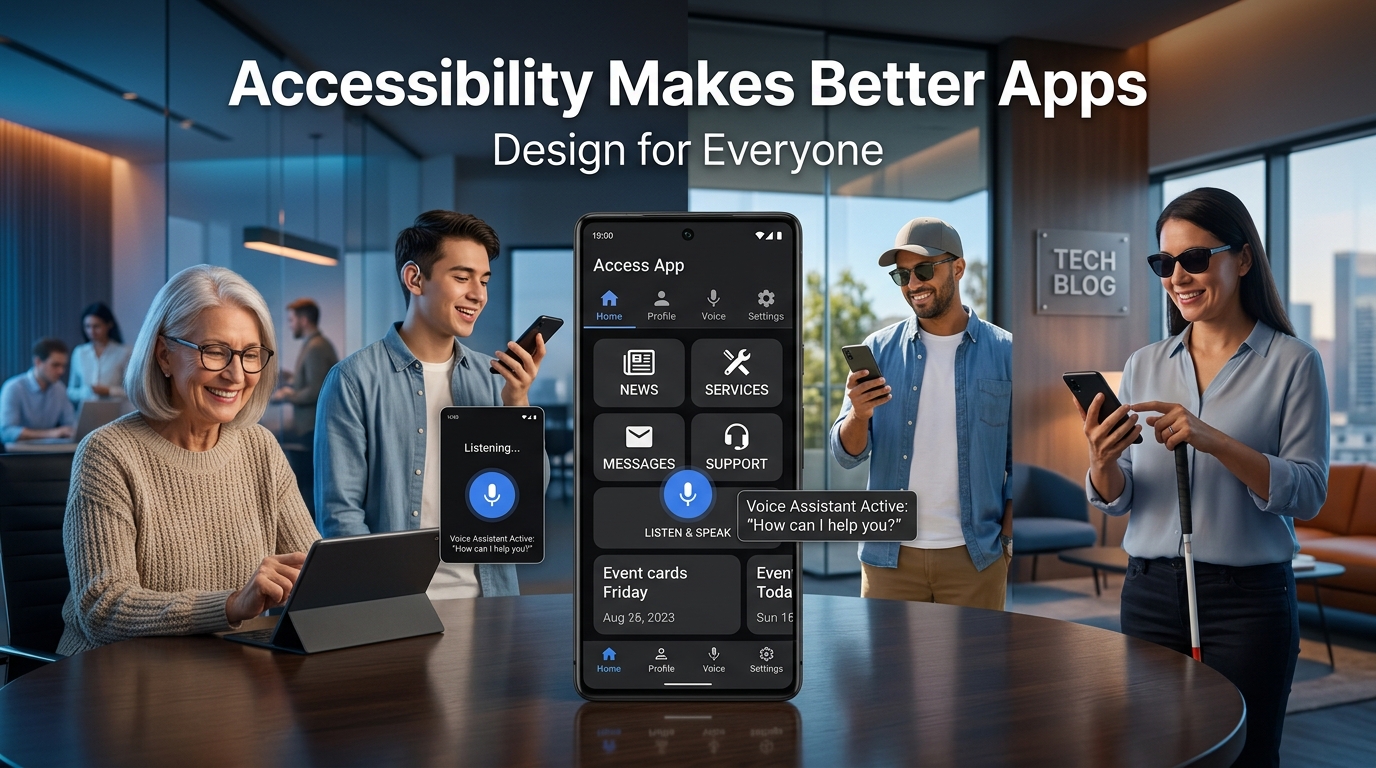
It also benefits users in everyday situations, such as reading a screen in bright sunlight, using one hand while carrying groceries, or watching a video in a quiet office without sound.
Accessibility improves usability for everyone.
Why Accessibility Matters
Imagine downloading a banking app where the text is too small to read.
Or trying to complete a purchase when the buttons are difficult to tap.
Or watching an important tutorial without captions in a noisy environment.
These experiences create frustration and may cause users to abandon the app.
Small design improvements can make a significant difference.
Accessibility Benefits Every User
Many accessibility features have become everyday conveniences.
Examples include:
Larger Touch Targets
Bigger buttons reduce accidental taps and make navigation easier for all users.
High Color Contrast
Strong contrast improves readability in bright sunlight and helps users quickly identify important actions.
Captions and Subtitles
Originally created for users with hearing impairments, captions are now widely used by people watching videos in public places or without headphones.
Voice Control
Voice commands allow hands-free interaction, making apps safer and more convenient while driving or multitasking.
Clear Navigation
Simple layouts, consistent menus, and descriptive labels help every user find information faster.
Accessibility Is Good Business
Building an accessible app isn't just the right thing to do—it's a smart business decision.
Accessible products often achieve:
- Higher customer satisfaction
- Better app ratings
- Increased retention
- Wider audience reach
- Stronger brand reputation
- Improved customer loyalty
By removing barriers, you make your product available to more people, which can directly impact growth and revenue.
Common Accessibility Mistakes
Many apps unintentionally create challenges for users by including:
- Tiny buttons
- Small font sizes
- Poor color contrast
- Missing labels for screen readers
- Navigation that relies only on gestures
- Videos without captions
- Forms with unclear error messages
These issues are often easy to fix when accessibility is considered from the beginning of the project.
Best Practices for Accessible Apps
When designing your app, consider these principles:
- Use readable font sizes.
- Maintain sufficient color contrast.
- Make buttons easy to tap.
- Add captions to video content.
- Support screen readers with descriptive labels.
- Avoid relying on color alone to communicate information.
- Provide clear error messages and instructions.
- Test your app with real users and accessibility tools.
Accessibility should be part of every stage of design and development—not an afterthought.
Accessibility Builds Trust
Users notice when an app feels effortless to use.
They may not know the technical reasons, but they appreciate products that are simple, clear, and dependable.
When your app works well for a wide range of people and situations, users are more likely to trust your brand and recommend it to others.
Inclusive design creates lasting relationships because it shows that every user matters.
Final Thoughts
Accessibility is more than a checklist.
It's a mindset.
The best apps aren't designed for the "average" user—they're designed for real people with different needs, abilities, and environments.
When you build products that everyone can use, you create better experiences, stronger customer loyalty, and a wider market for your business.
Great design doesn't exclude people.
It includes them.
Frequently Asked Questions
What is accessibility in mobile apps?
Accessibility refers to designing apps so they can be used by people with different abilities, including those with visual, hearing, motor, or cognitive impairments.
Does accessibility only help users with disabilities?
No. Features such as larger buttons, captions, high contrast, and clear navigation improve usability for all users in many everyday situations.
Why should businesses invest in accessibility?
Accessible apps reach a larger audience, improve customer satisfaction, strengthen brand reputation, and often lead to better retention and engagement.
Is accessibility difficult to implement?
Not if it's planned from the beginning. Incorporating accessibility during the design and development process is more effective and cost-efficient than adding it later.
Blog CTA
Every user deserves an experience that is simple, intuitive, and inclusive.
At GoTech Studio, we believe accessibility is not an optional feature—it's a foundation of great digital products. We design and develop mobile applications that are fast, modern, and accessible to a wider audience, helping businesses create products that people genuinely enjoy using.
Ready to build an app that's designed for everyone? Let's make it happen with GoTech Studio.