

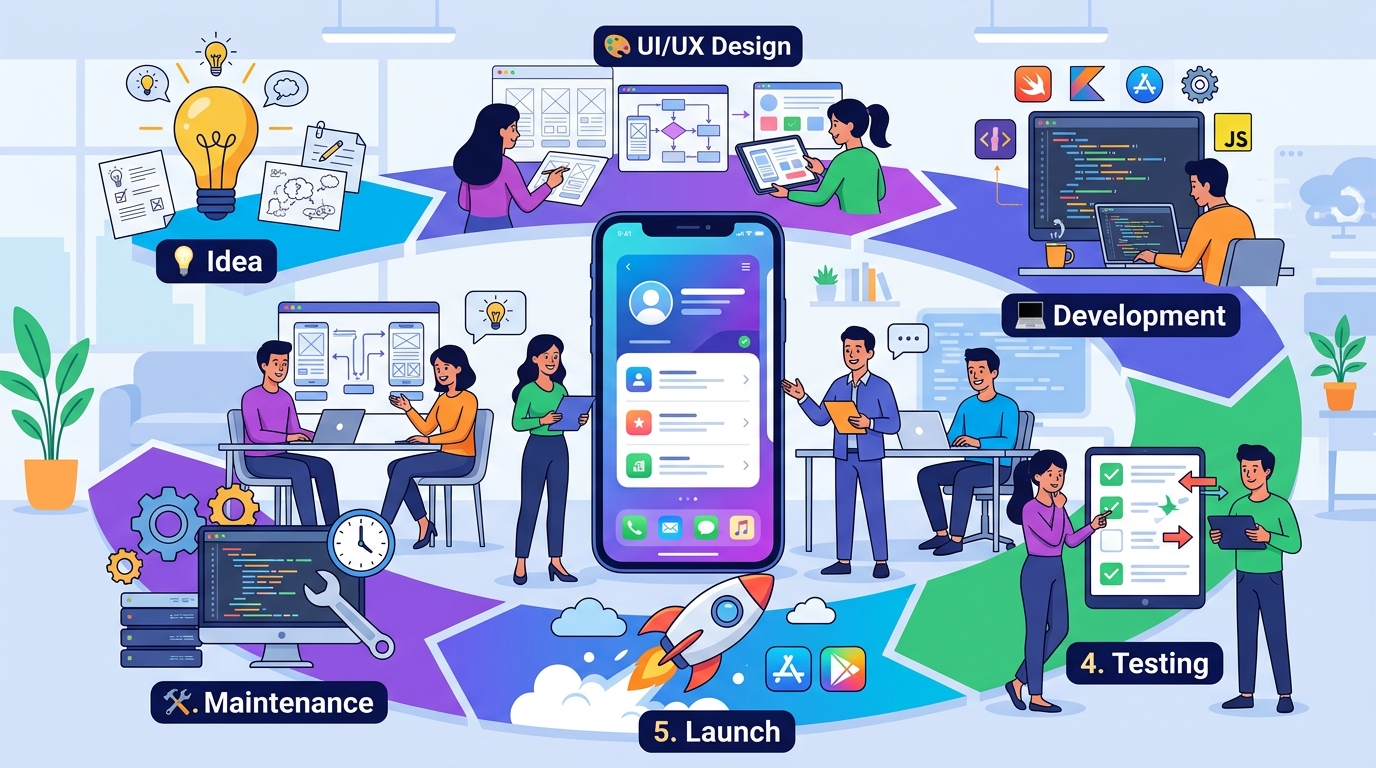
What Happens During Mobile App Development? A Complete Step-by-Step Guide
When users download an application from the App Store or Google Play, they usually see the finished product.
They don't see the weeks or months of planning, design, coding, testing, and problem-solving that happened before launch.
A successful mobile application isn't created by simply writing code.
It requires a structured process that takes an idea and gradually turns it into a working digital product.
While every project is different, most professional mobile app development projects follow several major stages.
1. Idea and Business Planning
Everything starts with an idea.
But an idea alone isn't enough to begin development.
The first step is understanding exactly what the application is supposed to accomplish.
Important questions include:
- What problem does the app solve?
- Who are the target users?
- What makes the app useful?
- What are the main features?
- How will the business make money?
- What platforms are required?
- What does success look like?
For example, an entrepreneur might have an idea for a marketplace app.
Before development starts, the team needs to understand the marketplace model, user types, transactions, communication, payments, and other core requirements.
Good planning reduces confusion later in the project.
2. Defining the MVP
Not every feature needs to be included in the first version.
This is where the Minimum Viable Product, or MVP, becomes important.
The MVP contains the essential functionality needed to launch and validate the product.
For example, a marketplace MVP might include:
- User registration
- User profiles
- Product listings
- Search
- Messaging
- Basic transactions
Advanced features can be added later.
Starting with a focused MVP can help businesses launch faster, control development costs, and collect real user feedback.
3. User Flow and UX Design
Before developers start building screens, the user journey should be planned.
The UX process focuses on questions such as:
How does a user register?
How do they find a feature?
What happens after they press a button?
How do they complete an important action?
For example:
Open App → Login → Browse → Select Product → Add to Cart → Checkout
Mapping this journey helps identify unnecessary steps and potential usability problems before development begins.
4. UI Design
Once the user experience is planned, the visual interface can be designed.
UI design includes elements such as:
- Colors
- Typography
- Buttons
- Forms
- Navigation
- Cards
- Images
- Spacing
- Icons
- Animations
The goal is to create an interface that looks professional while remaining easy to use.
Designers may create the screens in a design tool and establish a consistent design system before developers begin implementation.
5. Choosing the Technology
The development team then determines which technologies are appropriate for the project.
Depending on the requirements, a project may use:
- Native Android
- Native iOS
- Flutter
- Backend APIs
- Cloud services
- Databases
- Third-party APIs
- Payment systems
- Notification services
The correct technology depends on the project.
Factors such as performance, budget, timeline, platform requirements, integrations, and future scalability all need to be considered.
6. Backend and Database Development
Many mobile applications need more than the mobile interface.
The backend handles important operations such as:
- User accounts
- Authentication
- Data storage
- Business logic
- Notifications
- Payments
- Messaging
- File uploads
- Analytics
For example, when a user creates an account in a mobile app, the information usually needs to be securely sent to a backend server and stored in a database.
The mobile application communicates with the backend through APIs.
7. Mobile App Development
Now the actual mobile application development begins.
Developers transform the approved designs into working screens and features.
This may include implementing:
- Navigation
- Login and registration
- Profiles
- Search
- Forms
- Lists
- Media
- Notifications
- Payments
- Chat
- API integration
The frontend and backend are connected so that users can interact with real data.
Development is usually performed feature by feature rather than building everything at once.
8. API Integration
Most modern applications communicate with backend systems through APIs.
For example, when a user opens their profile, the app may send a request to the server.
The server retrieves the required information from the database and returns the result to the mobile application.
The same process can happen when users:
- Create accounts
- Upload files
- Send messages
- Make payments
- Search content
- Submit applications
- Update profiles
Reliable API communication is essential for a smooth application experience.
9. Testing
Testing is one of the most important stages of app development.
Developers need to verify that features work as expected and that different parts of the application work together correctly.
Testing can include:
Functional Testing
Does each feature work correctly?
UI Testing
Does the interface display correctly?
Device Testing
Does the app work across different devices and screen sizes?
Performance Testing
Does the application remain responsive?
Security Testing
Are authentication, permissions, and data handling properly protected?
Network Testing
Does the application behave correctly with slow or unstable connections?
Finding problems before launch is much better than discovering them after thousands of users start using the app.
10. Fixing Bugs and Improving Performance
Testing usually reveals issues.
Some bugs may be small, while others may affect important parts of the application.
The development team fixes these issues and tests the application again.
Performance can also be improved during this stage.
For example:
- Reducing loading times
- Optimizing images
- Improving database queries
- Reducing unnecessary network requests
- Improving animations
- Optimizing memory usage
The goal is to make the application stable and responsive.
11. Preparing for App Store and Play Store Launch
Once the application is ready, it needs to be prepared for distribution.
This can include:
- Creating app store listings
- Preparing screenshots
- Writing descriptions
- Setting categories
- Configuring app permissions
- Preparing privacy information
- Creating release builds
- Setting up signing and certificates
- Completing store requirements
The application then goes through the relevant review and publishing process.
12. Launch
After approval and release, the application becomes available to users.
But launch day isn't the end of development.
In many ways, it's the beginning of the next phase.
Real users will interact with the application in ways the development team may not have anticipated.
They may discover:
- New bugs
- UX problems
- Performance issues
- Feature requests
- Unexpected workflows
This information becomes valuable for future improvements.
13. Analytics and Monitoring
After launch, businesses should understand how users are interacting with the application.
Analytics can help answer questions such as:
- How many users are active?
- Which features are most popular?
- Where do users leave?
- How often do users return?
- Which screens have problems?
- Which actions lead to conversions?
Crash and performance monitoring can also help identify technical problems.
Data allows businesses to make better decisions about future development.
14. Maintenance and Updates
Mobile applications require ongoing maintenance.
Operating systems change.
Devices change.
Third-party services change.
Security vulnerabilities are discovered.
Users request new features.
Regular maintenance can include:
- Bug fixes
- Security updates
- Performance improvements
- OS compatibility
- Dependency updates
- Backend maintenance
- New features
A successful application should continue evolving after launch.
15. Continuous Improvement
The best mobile applications are rarely finished permanently.
Development becomes an ongoing cycle:
Build → Launch → Measure → Learn → Improve
Analytics and user feedback help determine what should happen next.
One update might improve onboarding.
Another might introduce a new feature.
Another might optimize performance.
Over time, these improvements can significantly change the product.
How Long Does Mobile App Development Take?
There isn't one fixed timeline.
A simple application with a small number of features may take significantly less time than a complex platform involving:
- Multiple user roles
- Payments
- Real-time chat
- Live streaming
- Advanced analytics
- Complex backend systems
- Third-party integrations
The timeline depends on the scope, complexity, technology, team size, and number of platforms.
This is another reason why defining the MVP early is important.
How Much Does App Development Cost?
The cost also varies significantly.
Factors that can affect the budget include:
- Number of platforms
- Number of features
- UI/UX complexity
- Backend requirements
- Third-party integrations
- Payment systems
- Real-time functionality
- Security requirements
- Admin dashboards
- Maintenance requirements
A simple app and a large multi-user platform can have completely different development costs.
The best way to estimate a project is to first define its requirements and scope.
Why Professional Planning Matters
Many app development problems begin before coding starts.
Unclear requirements can cause:
- Feature changes
- Development delays
- Budget increases
- Confusing UX
- Technical problems
A structured process helps identify these issues earlier.
The more clearly the product is defined before development, the easier it becomes to estimate the work and build the right solution.
Final Thoughts
Mobile app development is much more than coding.
A successful product usually requires:
Planning → MVP → UX → UI → Technology → Development → Testing → Launch → Analytics → Maintenance
Every stage contributes to the final product.
The goal isn't simply to publish an application.
The goal is to create something useful, reliable, secure, scalable, and easy for people to use.
That's why choosing the right development process can be just as important as choosing the right technology.
Frequently Asked Questions
What is the first step in mobile app development?
The first step is defining the problem, target users, business goals, and core requirements before development begins.
Should UI design happen before coding?
Generally, yes. Designing the user experience and interface first can help identify problems before they become expensive development changes.
What is an MVP?
An MVP is the first focused version of a product containing the essential features needed to solve the core problem and validate the idea.
Does app development end after launch?
No. Successful apps require ongoing maintenance, updates, analytics, bug fixes, security improvements, and new features.
How long does it take to build an app?
It depends on the complexity, number of features, platforms, integrations, and development requirements. A simple app can be much faster to build than a complex multi-user platform.
Blog CTA
A successful mobile app starts long before the first line of code is written.
At GoTech Studio, we help businesses move through the complete development journey: product planning, MVP strategy, UI/UX design, mobile development, backend development, testing, launch, and ongoing maintenance.
Have a mobile app idea? Contact GoTech Studio and let's turn your idea into a well-planned digital product.