

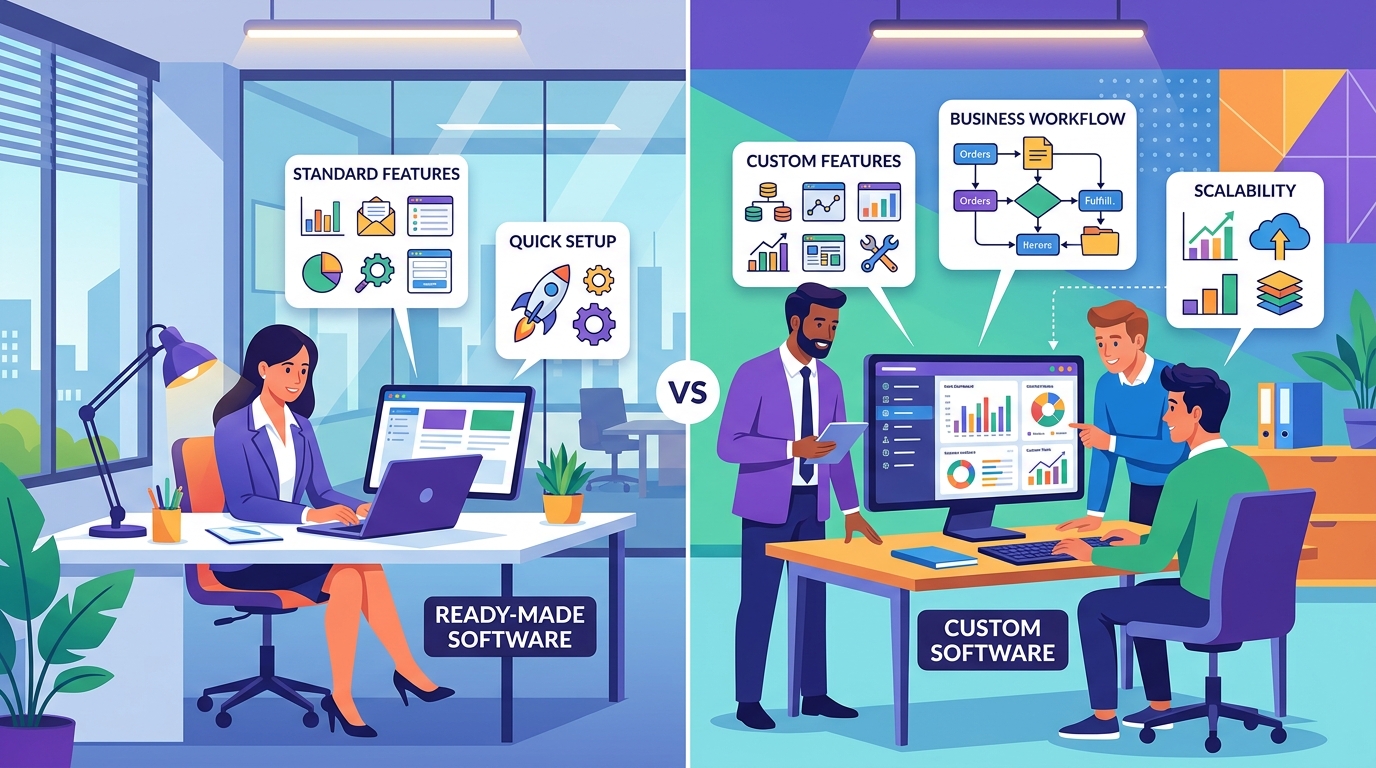
Custom Software vs Ready-Made Software: Which Is Right for Your Business?
Almost every modern business depends on software.
You may need software for customer management, accounting, inventory, communication, scheduling, sales, marketing, employee management, or operations.
But there is an important decision to make:
Should you purchase ready-made software or build a custom solution?
There is no universal answer.
The right choice depends on your business requirements, budget, workflow, users, technical needs, and long-term plans.
Understanding the difference can help you avoid spending money on software that doesn't actually fit your business.
What Is Ready-Made Software?
Ready-made software is a product that has already been developed for a broad group of businesses or users.
Examples include software for:
- Accounting
- CRM
- Project management
- Email marketing
- Inventory
- HR
- Communication
- Scheduling
You typically subscribe to or purchase the software and configure it according to the options provided by the vendor.
You don't have to build the entire system from scratch.
What Is Custom Software?
Custom software is developed specifically for a particular business or organization.
Instead of adapting your business to an existing product, the software is designed around your requirements.
For example, a logistics company might need a custom system that combines:
Orders + Drivers + Vehicles + Delivery Tracking + Customer Notifications + Reporting
If existing products don't provide the required workflow, custom software may be a better option.
Ready-Made Software: Advantages
1. Faster to Start
One of the biggest advantages is speed.
The software already exists, so your business can often start using it shortly after signing up and configuring the system.
You don't have to wait for months of development before using the basic functionality.
2. Lower Initial Cost
Building custom software requires development resources.
Ready-made software usually uses a subscription or licensing model, which can make the initial investment much lower.
This can be particularly useful for small businesses that need standard functionality.
3. Proven Features
Established software products have usually been used by many customers.
Common features have already been tested and refined over time.
This can reduce the risk associated with developing everything from scratch.
4. Vendor Handles Updates
With ready-made software, the provider typically manages many aspects of:
- Updates
- Bug fixes
- Infrastructure
- Security improvements
- New features
Your internal team doesn't necessarily need to manage the entire technology stack.
Ready-Made Software: Disadvantages
1. Limited Customization
This is one of the biggest limitations.
You can usually configure the software, but you are restricted by what the provider allows.
If your business requires a completely different workflow, you may have to change your processes to fit the software.
2. Your Business Must Adapt
Imagine your company has a unique workflow that has been developed over many years.
A ready-made product may not support that workflow.
You might have to create workarounds or manually perform certain steps.
Over time, those workarounds can become frustrating and inefficient.
3. Subscription Costs Can Grow
A ready-made product may appear inexpensive at first.
But as your company grows, you may need:
- More users
- Premium features
- Additional storage
- Higher usage limits
- Additional integrations
The monthly or annual cost can increase over time.
4. Vendor Dependency
Your business becomes dependent on the software provider.
If the vendor changes:
- Pricing
- Features
- Terms
- API access
- Product direction
your business may need to adapt.
This is an important consideration for software that becomes critical to your operations.
Custom Software: Advantages
1. Designed Around Your Business
The biggest advantage of custom software is flexibility.
The application can be designed around your actual workflow.
For example, if your business has a specific approval process, the software can be built around that process.
You don't have to force your workflow into a generic template.
2. Custom Features
You can build the exact features your users need.
For example:
- Custom dashboards
- Special reports
- Unique approval workflows
- Custom notifications
- Role-based access
- Business-specific calculations
- Specialized integrations
The software can reflect your actual business requirements.
3. Better Integration
Custom software can be designed to communicate with your existing systems.
For example, it could connect with:
- Payment gateways
- Accounting systems
- CRM platforms
- Inventory systems
- APIs
- Mobile applications
- Internal databases
This can create a more connected technology ecosystem.
4. Greater Control
With custom development, you have significantly more control over how the product works.
You can decide:
- Which features exist
- How users interact with the system
- How workflows operate
- What data is collected
- Which systems are integrated
- How the product evolves
This can be valuable for businesses with unique requirements.
5. Designed for Future Growth
Custom software can be architected with your future plans in mind.
For example, a small business might start with:
10 employees → 1 location → 100 customers
But eventually grow to:
100 employees → multiple locations → thousands of customers
The software can be designed with future expansion in mind.
Custom Software: Disadvantages
1. Higher Initial Investment
Custom development requires planning, design, development, testing, deployment, and maintenance.
Therefore, the initial investment is usually higher than simply subscribing to existing software.
2. Longer Development Time
A custom application has to be designed and built.
Depending on complexity, development may take weeks or months.
The timeline depends on:
- Number of features
- Platforms
- Backend requirements
- Integrations
- Design complexity
- Testing requirements
3. Ongoing Maintenance
Custom software needs to be maintained.
You may need:
- Bug fixes
- Security updates
- Performance improvements
- Server maintenance
- OS compatibility
- New features
This should be considered part of the long-term software investment.
Custom vs Ready-Made: Simple Comparison
| Factor | Ready-Made Software | Custom Software |
|---|---|---|
| Initial Cost | Usually lower | Usually higher |
| Setup | Faster | Requires development |
| Customization | Limited | High |
| Unique Workflows | May be difficult | Can be built specifically |
| Scalability | Depends on vendor | Can be designed for your needs |
| Integrations | Available options | Can be customized |
| Maintenance | Mostly vendor-managed | Business/development team |
| Control | Limited | Greater control |
| Development Time | Very short | Longer |
| Best For | Standard needs | Unique requirements |
When Ready-Made Software Makes More Sense
Ready-made software can be a good choice when:
- Your requirements are standard.
- You need a solution quickly.
- Your budget is limited.
- You don't need extensive customization.
- The existing product already solves your problem.
- You don't need complete control over the system.
For example, if you simply need standard project management functionality, there may be little reason to build an entire project management platform yourself.
Using an existing solution can save significant time and money.
When Custom Software Makes More Sense
Custom software becomes more attractive when:
- Your business has unique workflows.
- Existing tools don't solve your problem.
- You need specialized features.
- Multiple systems need to work together.
- You require complete control.
- Your product itself is the business.
- You need a highly specialized user experience.
- You expect significant growth.
If software provides a competitive advantage, custom development can become a strategic investment rather than simply an expense.
What About a Hybrid Approach?
Businesses don't always have to choose one option exclusively.
A hybrid strategy can sometimes work well.
For example, a company could use ready-made accounting software while developing custom software for its unique customer management and operational workflows.
The custom system could communicate with the accounting software through APIs.
This allows the business to build only what it truly needs while using existing products for standard functions.
Don't Build Custom Software Just Because You Can
Custom software isn't automatically better.
If a ready-made solution already solves your problem effectively, building a custom version may waste time and money.
Before starting development, ask:
Can an existing product solve this problem well enough?
If yes, use it.
If not, then investigate whether customization or custom development makes sense.
The goal is not to build software.
The goal is to solve a business problem efficiently.
Calculate the Long-Term Cost
When comparing the two approaches, don't only look at the initial price.
Consider the total cost over several years.
For ready-made software, consider:
- Monthly subscription
- Number of users
- Premium features
- Storage
- Integrations
- Vendor price increases
For custom software, consider:
- Development
- Hosting
- Maintenance
- Security
- Updates
- New features
- Support
A solution that is cheaper today isn't necessarily cheaper over five years.
Ask These Questions Before Choosing
Before making a decision, consider:
Does the existing software solve the actual problem?
If yes, ready-made may be the better option.
How unique is the business workflow?
The more specialized the workflow, the more attractive custom software may become.
How important is customization?
If customization is essential, generic software may create limitations.
How fast do you need the solution?
If you need something immediately, ready-made software has an advantage.
What is the long-term strategy?
If software is becoming a core part of the business, greater control may become more important.
Final Thoughts
Custom software and ready-made software both have their place.
Ready-made solutions can provide speed, lower initial costs, and proven functionality.
Custom software can provide flexibility, control, specialized workflows, and the ability to build around your business.
The right choice depends on the problem you're trying to solve.
Don't ask:
"Which option is better?"
Ask:
"Which option is better for our business?"
Sometimes the smartest decision is to buy existing software.
Sometimes the smartest decision is to build your own.
And sometimes the best solution is a combination of both.
Frequently Asked Questions
Is custom software more expensive than ready-made software?
Usually, the initial investment is higher because custom software requires development. However, the long-term cost depends on usage, subscriptions, maintenance, customization, and business requirements.
Is ready-made software better for small businesses?
It often can be, especially when the business has standard requirements and needs a solution quickly without a large initial investment.
When should a business build custom software?
Custom development makes more sense when existing products cannot support important workflows, integrations, or specialized requirements.
Can custom software integrate with existing tools?
Yes. Custom applications can often communicate with existing systems through APIs and other integration methods.
Can a business switch from ready-made software to custom software later?
Yes. Many businesses start with existing tools and eventually build custom systems when their requirements become more complex.
Blog CTA
Choosing software is a business decision, not just a technology decision.
At GoTech Studio, we help businesses evaluate their requirements and determine whether they need a ready-made solution, customization, or a completely custom application.
If custom development is the right choice, we can help with planning, UI/UX design, mobile apps, web applications, backend systems, APIs, and ongoing maintenance.
Not sure which approach is right for your business? Contact GoTech Studio and let's find the right solution before you invest.