

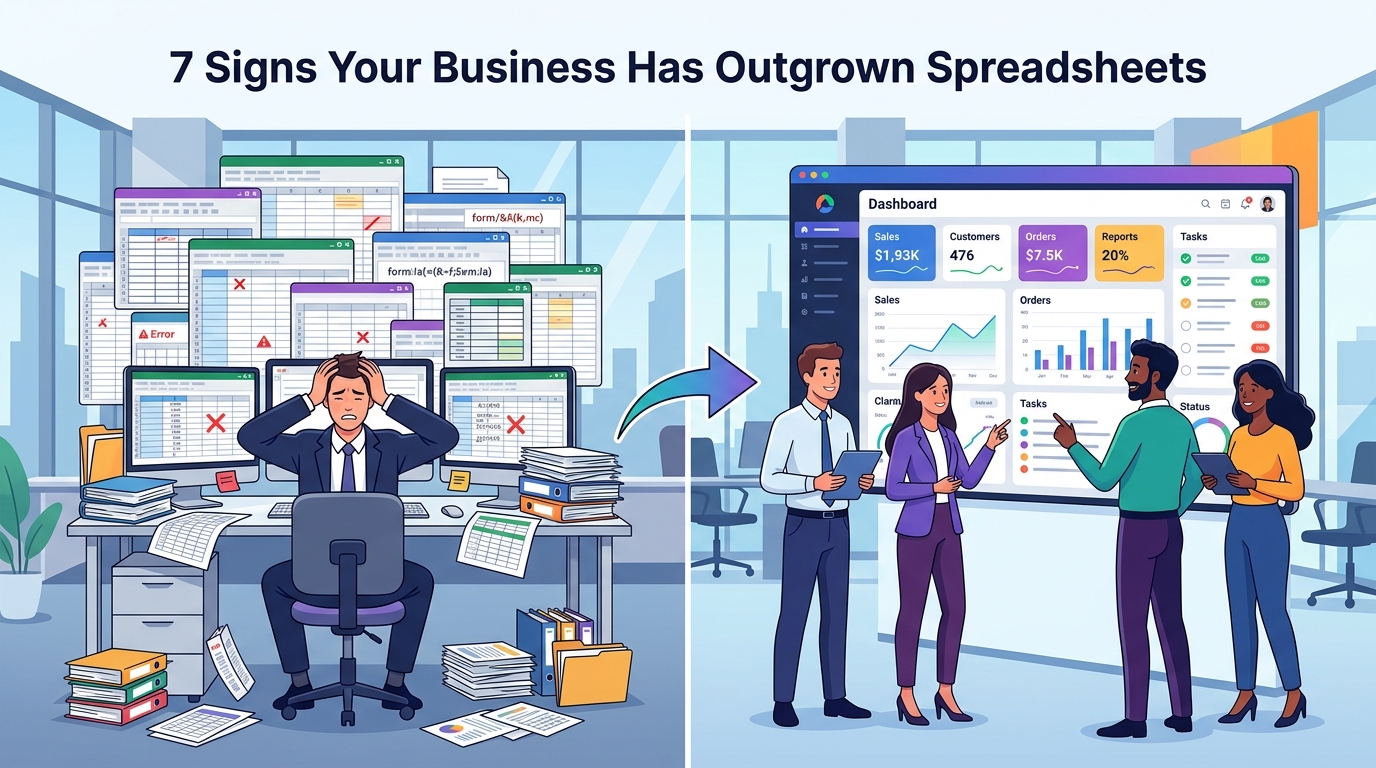
7 Signs Your Business Has Outgrown Spreadsheets
Spreadsheets are one of the most useful tools for starting and managing a business.
They are inexpensive, flexible, easy to understand, and useful for many everyday tasks.
A small business can often manage customers, sales, inventory, expenses, and reports with a few spreadsheets.
But as the business grows, something changes.
More customers create more data.
More employees create more users.
More orders create more records.
More locations create more complexity.
Eventually, spreadsheets can become less of a productivity tool and more of a bottleneck.
The problem isn't that spreadsheets are bad.
The problem is when your business starts depending on spreadsheets for processes that require automation, collaboration, security, and real-time information.
Here are seven signs that your business may have reached that point.
1. Your Business Depends on Multiple Spreadsheets
One spreadsheet may be easy to manage.
But what happens when your business has dozens or hundreds of files?
You may have:
- Customer spreadsheet
- Sales spreadsheet
- Employee spreadsheet
- Inventory spreadsheet
- Payment spreadsheet
- Marketing spreadsheet
- Reporting spreadsheet
Soon, employees may spend more time finding the correct file than actually working with the data.
You may also end up with different versions of the same information.
One employee updates a customer record in one spreadsheet.
Another employee has an older version somewhere else.
Now nobody knows which information is correct.
A centralized business system can provide one place for the organization to manage important information.
2. Employees Keep Entering the Same Data
Repeated data entry is a common warning sign.
For example, a customer might provide their information through a form.
An employee then enters the same information into a spreadsheet.
Another employee copies it into a CRM.
Someone else enters it into an invoice system.
This creates unnecessary work.
It also creates more opportunities for mistakes.
A properly designed system can allow information to be entered once and reused across different parts of the workflow.
For example:
Customer Registration → Customer Database → Order → Invoice → Notification
The same information can move through the system automatically.
3. Data Errors Are Becoming More Common
Manual spreadsheets depend heavily on people entering information correctly.
Common problems include:
- Incorrect numbers
- Duplicate records
- Missing information
- Wrong formulas
- Deleted cells
- Incorrect sorting
- Outdated information
One small mistake can sometimes affect an entire report.
As the amount of data increases, maintaining accuracy manually becomes more difficult.
Business software can introduce validation rules and controlled workflows that reduce many types of human error.
4. Reporting Takes Too Much Time
Ask yourself:
How long does it take to produce an important business report?
If the answer is several hours or even several days, your current system may be holding you back.
Employees may need to:
- Collect information from multiple spreadsheets.
- Clean the data.
- Remove duplicates.
- Calculate totals.
- Create formulas.
- Prepare charts.
- Send the report to management.
A centralized system can automate much of this process.
Instead of preparing the same report repeatedly, managers can access dashboards and reports based on current business data.
5. You Don't Have Real-Time Visibility
Business decisions are easier when you have current information.
Imagine a manager asking:
How many orders are currently pending?
The employee may need to open several spreadsheets and manually calculate the answer.
That's not real-time visibility.
A centralized dashboard could display information such as:
Total Orders
Pending Orders
Completed Orders
Revenue
Customers
Tasks
The information can be updated as business activity occurs.
This allows management to make decisions faster.
6. Only One Person Understands the System
This is a serious warning sign.
Imagine one employee has been maintaining your spreadsheets for several years.
They know:
- Which files to open
- Which formulas to use
- Which cells shouldn't be changed
- Which spreadsheet is the latest
- How reports are generated
- Where important information is stored
Then that employee takes leave or leaves the company.
Suddenly, everyone struggles to understand the system.
A business process shouldn't depend entirely on one person's memory.
A properly designed software system can make workflows structured, documented, permission-controlled, and easier for teams to use.
7. Your Business Is Growing Faster Than Your System
This is perhaps the biggest sign.
Your business may be growing from:
100 customers → 1,000 customers
or:
10 employees → 50 employees
or:
100 orders → 5,000 orders
The spreadsheet that worked perfectly at the beginning may now become slow, confusing, and difficult to maintain.
Growth increases complexity.
More data means more relationships.
More users mean more collaboration requirements.
More operations mean more automation opportunities.
At some point, the business needs a system designed to handle that complexity.
Why Businesses Continue Using Spreadsheets
If spreadsheets are causing problems, why do businesses continue using them?
Because they are familiar.
Employees already know how to use them.
They are flexible.
They don't require a large development project.
And sometimes they genuinely are the right tool.
The goal isn't to eliminate spreadsheets completely.
Spreadsheets are still excellent for many tasks.
The goal is to recognize when a spreadsheet has become the wrong tool for a particular business process.
What Should Replace Spreadsheets?
There isn't one solution for every business.
Depending on your requirements, you might need:
Custom Web Application
Useful when employees need a centralized system accessible through browsers.
Mobile Application
Useful when customers, employees, drivers, sales teams, or field workers need access from mobile devices.
Business Dashboard
Useful when management needs real-time visibility into operations.
Database-Driven System
Useful when your business is managing large amounts of structured information.
Workflow Automation
Useful when repetitive steps can be performed automatically.
Integrated Software
Useful when multiple systems need to communicate with each other.
Example: Replacing a Manual Sales Process
Imagine a company managing sales through spreadsheets.
The process might look like:
Salesperson receives lead
↓
Adds lead to spreadsheet
↓
Calls customer
↓
Updates spreadsheet
↓
Creates quotation manually
↓
Updates payment information
↓
Creates report
This process contains many manual steps.
A business application could turn it into:
Lead Created
↓
Salesperson Assigned
↓
Follow-Up Reminder
↓
Quotation Generated
↓
Customer Accepts
↓
Invoice Created
↓
Payment Recorded
↓
Dashboard Updated
The business hasn't changed what it does.
The software simply makes the workflow more structured and automated.
Benefits of Moving to Business Software
A centralized software system can provide several advantages.
Better Data Management
Information is stored in a structured system instead of scattered across files.
Automation
Repetitive tasks can happen automatically.
Better Collaboration
Multiple employees can work with the same system.
Improved Reporting
Managers can access information more quickly.
Better Security
Access can be controlled based on user roles and permissions.
Scalability
The system can be designed to support increasing business activity.
Better Customer Experience
Customer-facing processes can become faster and easier.
Don't Replace Spreadsheets Just Because They Are Old
This is important.
A spreadsheet isn't automatically a problem.
If your business has a simple process and the spreadsheet works reliably, there may be no reason to replace it.
The question is:
Is the spreadsheet helping your business or slowing it down?
If it saves time, keeps information organized, and works well for your team, keep using it.
If employees spend hours managing the spreadsheet instead of managing the business, it may be time to consider a better system.
How to Move Away From Spreadsheets
You don't need to replace everything overnight.
A better approach is to start with one important workflow.
Step 1: Identify the biggest problem
Find the process consuming the most time.
Step 2: Map the current workflow
Document how information currently moves through the business.
Step 3: Identify repetitive work
Find tasks that can be automated.
Step 4: Design the new system
Determine what the software should handle.
Step 5: Start with an MVP
Build the most important functionality first.
Step 6: Test with your team
Allow real employees to use the system and provide feedback.
Step 7: Expand gradually
Add additional features and workflows as the business needs them.
Final Thoughts
Spreadsheets can be incredibly useful.
But they aren't designed to be the entire operating system of a growing business.
If your team is dealing with duplicate data, constant manual entry, confusing files, slow reporting, and limited visibility, it may be a sign that your business has outgrown spreadsheets.
The solution isn't necessarily to build complicated software.
The solution is to identify the problems first and then create the simplest system that solves them.
Sometimes that may be an existing business tool.
Sometimes it may be automation.
And sometimes a custom web or mobile application is the right answer.
The important thing is to build a system that supports your business instead of slowing it down.
Frequently Asked Questions
When should a business stop using spreadsheets?
There is no specific number of employees or customers. Consider moving to dedicated software when spreadsheets become difficult to maintain, create frequent errors, slow down reporting, or prevent effective collaboration.
Are spreadsheets bad for businesses?
No. Spreadsheets are useful tools. They become problematic when they are used to manage complex workflows that require automation, multiple users, permissions, real-time data, or integrations.
Can custom software replace spreadsheets?
Yes. A custom system can centralize data, automate workflows, create dashboards, and provide controlled access based on business requirements.
Does replacing spreadsheets require expensive software?
Not always. Businesses should first evaluate their requirements. Sometimes an existing tool or simple automation is enough. More complex requirements may justify custom software.
Should a small business build custom software?
Not necessarily. Small businesses should first determine whether existing solutions can meet their requirements. Custom development becomes more attractive when the business has unique workflows or specific long-term needs.
Blog CTA
If your team spends hours every week managing spreadsheets, manually entering data, or preparing reports, it may be time to rethink your workflow.
GoTech Studio helps businesses turn manual processes into practical digital systems, including custom web applications, mobile apps, dashboards, APIs, and workflow automation.
Still running important business operations through spreadsheets? Let's discuss a smarter way to manage them.